
Nikita Dadlani
Data Science Tutor and help in assignments, case studies projects with experience of using tools - Excel, R, Python, Tableau, JASP.




Show all photos
Nikita Dadlani
Masters degree
/ 55 min
About your data science tutor
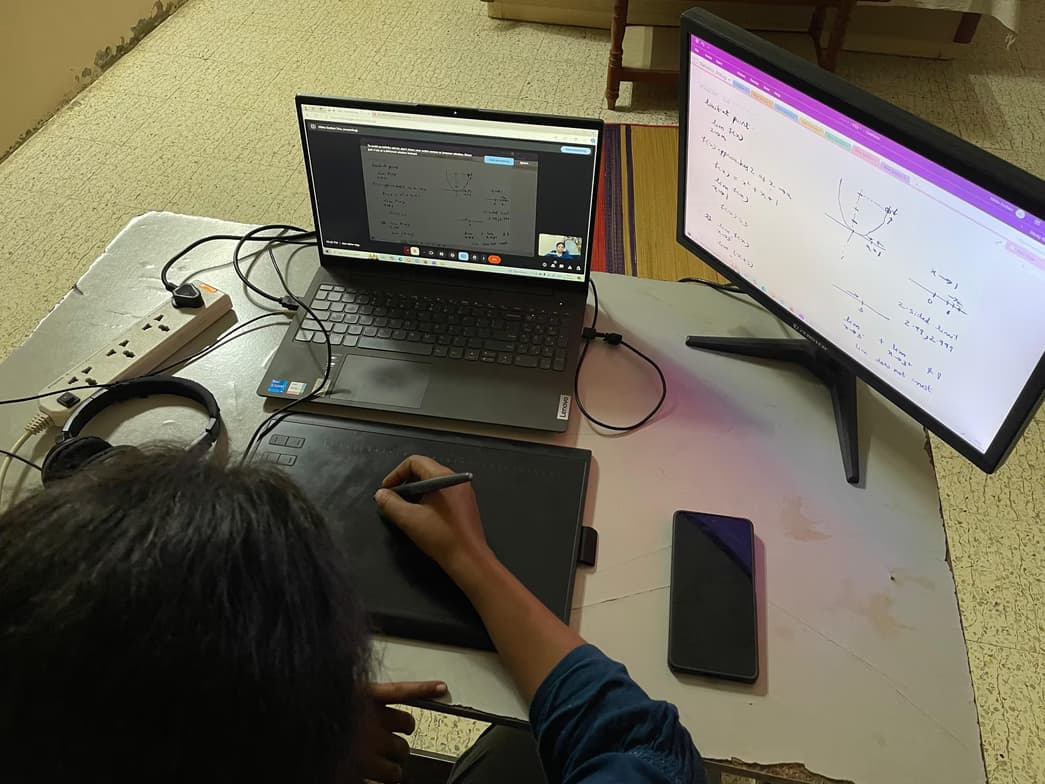
Hi, I am Nikita Dadlani. I have around 10.5 years of experience of teaching online. I teach almost all concepts from statistics and data science. Along with that I know and teach the statistical analysis and programming tools like R, Excel, Python, JASP, Tableau. I have also solved many assignments, helped in case studies, reports, projects etc. I love to teach. I prefer teaching in detail and by clearing the basic concepts of student. Interactive sessions go best with my teacher. I like to crack the logic behind any concept and I teach with the same logic to students. I use pen tab also to teach and to explain the concepts clearly. In my teaching I like to discuss the concept from scratch even in advance concepts, it's good to discuss the previous basics for at least important pointers and I prefer that. My teaching method includes examples and references from real scenarios to get connected to what we are learning. At the end it's students' choice and comfort of how they need teaching and I would like to be flexible about it and teach accordingly. I try to strengthen the knowledge of student and make them feel confident about what they learnt. I make sure that student understood the concept by asking small questions and I welcome the questions and feedback. Thanks!
Meet Nikita
Data Science tutor skills

Data engineering

Case Studies

Assignment help

Data visualization

Business intelligence
 CoTutor
AI modules
Summary
Podcast
Quiz
Learnings
Flashcard
Spotlight
Zero Risk Guaranteed
15-days refund
Free tutor swap
No cancel fee
1-yr validity
24/7 support
Learner types for data science class

Data Science for kids
Data Science for adults
Data Science for advanced
Data Science for intermediate
Data Science for beginners

Quick assignment help
90% of students get assignment support within 24 hours.

Debugging and problem-solving focus
85% of students improve debugging skills.

Highly rated for problem-solving approach
95% of students improve problem-solving skills and speed.
Your data science tutor also teaches

Data Analysis
Data Science
Excel
Tableau

Data Science concepts taught by Nikita
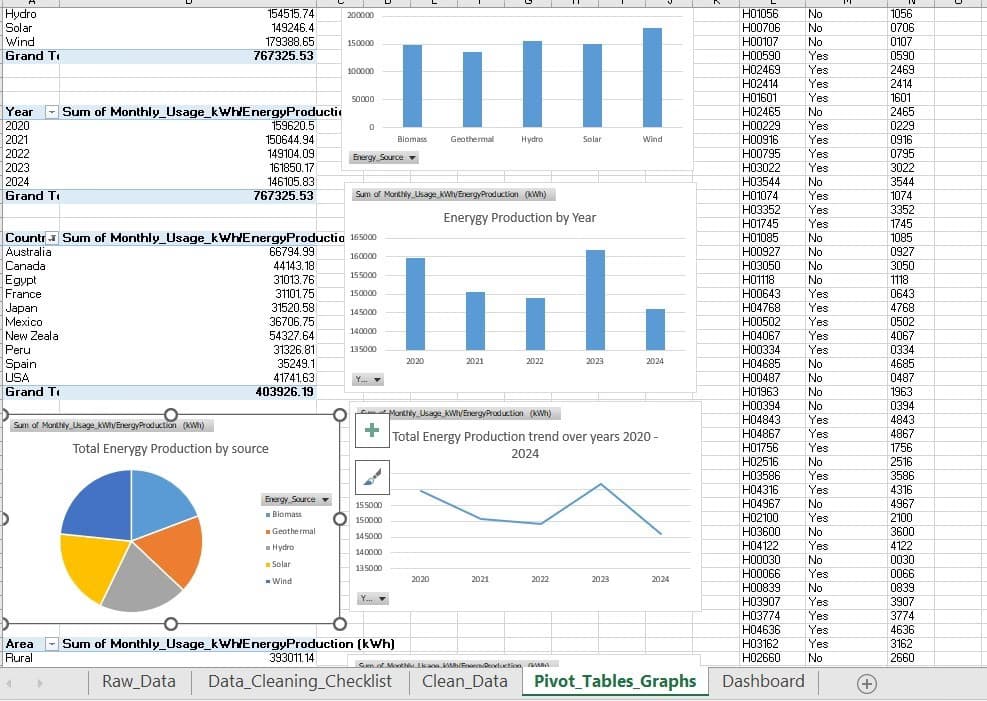
The Student and Tutor began an in-depth Excel session focused on understanding and recreating a company's profit and loss (P&L) statement. The Student learned to identify manual data entry points, apply `SUM` functions, and efficiently replicate complex calculations across various income and expense categories for both current and previous years. They agreed to continue the session next week to further practice and build on these Excel skills.
P&L Spreadsheet Structure
Building Annual Totals for Comparison
Distinguishing Manual vs. Calculated Data
Automating with Relative Cell Referencing
Excel Summing Formulas
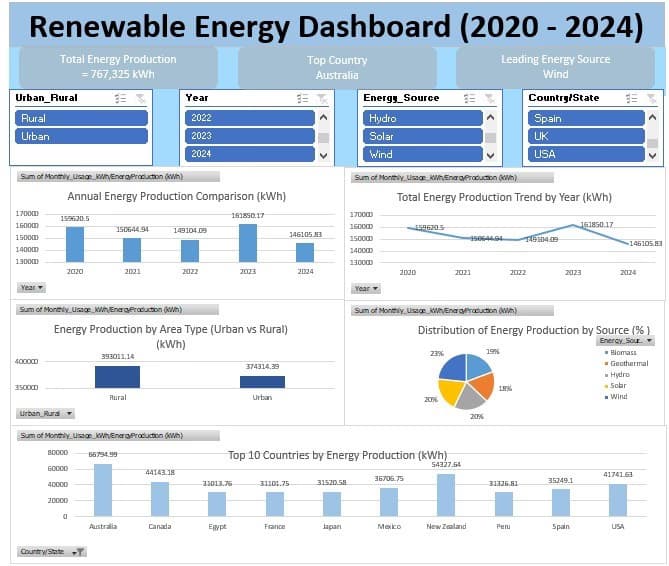
The Student and Tutor worked on an Excel spreadsheet to update and validate agent commission and payout data. They corrected formulas, applied formatting, refreshed pivot tables to reflect new entries, and optimized the print layout for various charts and tables. Discussions also covered reconciling missing payout data and the Student plans to follow up with their brokerage for unreceived payments.
Correcting and Verifying Excel Formulas
Essential Excel Formatting Techniques
Refreshing Pivot Tables and Linked Charts
Optimizing Print Layouts and Page Breaks
Managing Data Integrity with 'Collapsed' Deals
Student and Tutor worked on resolving Excel print preview issues, focusing on correctly displaying borders and organizing content across pages. They practiced adjusting page layout settings, managing page breaks for tables and charts, and formatting chart elements for improved readability. The next session is scheduled to continue this work.
Optimizing Print Layout for Excel Tables
Strategic Page Break Management
Enhancing Chart Presentation and Layout
Ensuring Data Accuracy and Pivot Table Refresh
The Student and Tutor worked on refining an Excel workbook by correcting formula inconsistencies related to commission calculations and updating pivot tables. They also addressed print preview formatting challenges, attempting to improve readability, but encountered persistent issues with borders not appearing in the preview. A follow-up session was planned to resolve these remaining formatting concerns.
Differentiating Historical vs. Current Year Data Management
Optimizing Print Layout and Readability in Excel
Correcting Formula Inconsistencies in Excel
Managing and Refreshing Pivot Tables
The Student and Tutor worked on updating and verifying real estate commission data in a spreadsheet for the year 2026. They focused on cross-referencing payment reports with the existing spreadsheet, correcting discrepancies, ensuring formulas and pivot tables reflected accurate figures, and discussed the importance of refreshing data. The Student plans to continue updating and verifying data against trade sheets, with the next session addressing further discrepancies and automating total calculations.
Accurate Data Adjustment for Commissions
Managing Excel Pivot Tables
Ensuring Accurate Print Layouts
Resolving Financial Data Discrepancies
Prioritizing Data Integrity
The Student and Tutor worked on refining an Excel workbook designed for tracking real estate commissions. They focused on updating and verifying commission data, refreshing pivot tables and charts to reflect the changes, and adjusting page breaks to optimize the print layout. The next session will involve integrating new commission data once it becomes available.
Excel Data Entry & Formula Management
Data Verification & Reconciliation with External Sources
Optimizing Print Layouts with Page Breaks
Dynamic Data Visualization: Refreshing Pivot Tables and Charts
Teaching tools used by data science tutor

Google Colab

Jupyter Notebook

RStudio

Data Science tutors on Wiingy are vetted for quality
Every tutor is interviewed and selected for subject expertise and teaching skill.
