
Shivangi Goel
Discover Architecture and Interior Software with Real Industry Drawings from an Architect






Show all photos
Shivangi Goel
Bachelors degree
/ 55 min
About your tutor
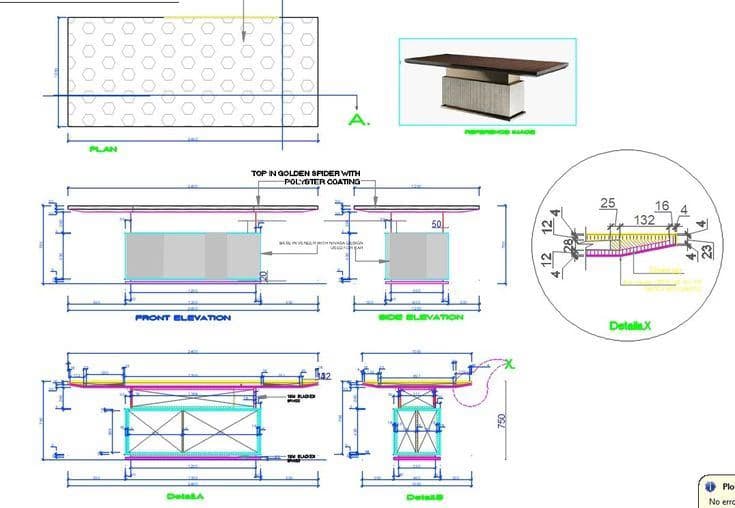
Hello, I’m Shivangi Goel, an Architect with a Bachelor’s degree in Architecture and around 6+ years of professional experience in architecture and interior design. Alongside my professional practice, I also have a strong interest in teaching and mentoring students in architecture software and design thinking. I have 1 year of experience teaching students through one-on-one online sessions, where I guided beginners and intermediate learners in understanding software tools like AutoCAD, SketchUp, and basic 3D modeling. My sessions are focused on practical learning, helping students understand not just the commands but how these tools are actually used in real architectural and interior design projects. In addition, I have 1 year of teaching experience at JD Institute, where I worked with design students and helped them develop their technical drawing skills, software proficiency, and design presentation abilities. This experience helped me understand different student learning styles and how to simplify complex concepts in a clear and structured way. My teaching style is practical, interactive, and project-based. I like to guide students through real-world examples such as preparing drawings, modeling spaces, understanding layouts, and improving workflow efficiency. I focus on building strong fundamentals so students can confidently apply these skills in their academic projects and professional work. I aim to create a supportive and encouraging learning environment where students feel comfortable asking questions and experimenting with design ideas. Whether someone is learning architecture software for the first time or looking to improve their workflow, I help them progress step by step and gain confidence in their skills.
Meet Shivangi
Shivangi graduated from jagannath university

Expertise of your tutor

Exam prep

Career guidance

Software training

Portfolio Development

3D modeling

Assignment help
 CoTutor
AI modules
Summary
Podcast
Quiz
Learnings
Flashcard
Spotlight
Zero Risk Guaranteed
15-days refund
Free tutor swap
No cancel fee
1-yr validity
24/7 support
Student types for class

Architecture for advanced
Architecture for intermediate
Architecture for beginners
Shivangi - also provides training in

Architecture
AutoCAD
SketchUp
3D Modelling
Interior Design
Sustainable Design

Architecture concepts taught by Shivangi
The tutor and student worked on architectural modeling and drafting techniques using SketchUp and AutoCAD. They focused on improving model visibility, generating accurate elevations and sections, and exporting detailed drawings and textures. The next session will continue this work, with the student aiming to complete drawing elements before focusing on images.
SketchUp Section Planes
Exporting Textures and Images from SketchUp
Centering Objects and Creating Construction Lines in CAD
Drawing Complex Curves with Splines in AutoCAD
The Tutor and Student worked on exporting architectural plans from SketchUp into AutoCAD for detailed ground floor plan creation. They practiced techniques for scaling, object manipulation, and using AutoCAD layouts to finalize the drawing with correct specifications, and discussed setting line weights for future work.
Exporting 2D Graphics from SketchUp to CAD
Working with Blocks and Scaling in AutoCAD
Accurate Scaling Using Reference in AutoCAD
Utilizing Layouts and Viewports for Presentation
Centering Objects Using Midpoints in AutoCAD
Teaching tools used for classes

Drafting tools

Rendering Tools

Technical Drawing Tools

Digital Whiteboards

3D Modeling

Architecture tutors on Wiingy are vetted for quality
Every tutor is interviewed and selected for subject expertise and teaching skill.
