
Tasbiya Wani
Advance Your Career with Private Architecture Lessons and Software Skills Like Bim and cad




Show all photos
Tasbiya Wani
Bachelors degree
/ 55 min
About your tutor
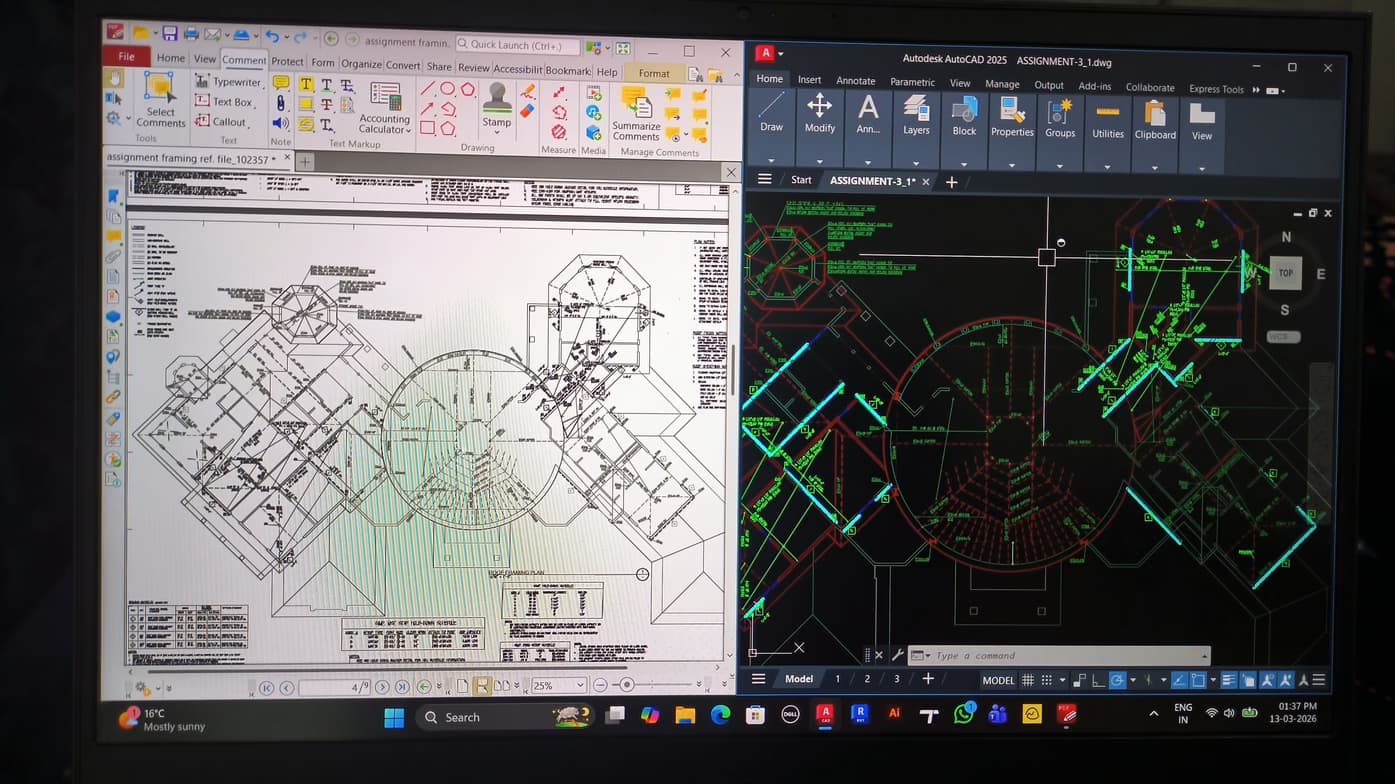
My name is Tasbiya Wani, and I am an architect and CAD/BIM professional dedicated to bridging the gap between design theory and technical execution. Having transitioned from a role as a Junior Architect to a specialized focus in BIM engineering, I understand the learning curve students face when mastering complex design software. My background in architecture provides me with a unique perspective; I don’t just teach students which buttons to click—I teach them why specific workflows matter in a professional, high-stakes office environment. I hold a degree from a University of kashmir, and my professional journey has allowed me to master a diverse toolkit, including AutoCAD, Revit, Adobe photoshop and Adobe Illustrator. My expertise is particularly strong in creating efficient, annotative drafting systems, managing level combinations, and utilizing graphic overrides to produce clean, professional-grade documentation.I provide the technical clarity needed to succeed. I believe in a "project-first" teaching style. Instead of abstract tutorials, we work through real-world architectural scenarios. This ensures that students not only learn the software but also understand BIM standards and professional drafting ethics. My sessions are interactive and tailored to the student’s current skill level, focusing on: BIM Integration: Understanding how technical modeling supports the architectural vision. Problem-Solving: Troubleshooting common software hurdles I am passionate about empowering the next generation of designers with the technical confidence they need to bring their creative visions to life. My goal is to make complex engineering tools accessible, intuitive, and, most importantly, practical for your career growth.
Meet Tasbiya
Expertise of your tutor

Upskilling

Software training

Exam prep

Portfolio Development
 CoTutor
AI modules
Summary
Podcast
Quiz
Learnings
Flashcard
Spotlight
Zero Risk Guaranteed
15-days refund
Free tutor swap
No cancel fee
1-yr validity
24/7 support
Student types for class

Architecture for beginners
Architecture for intermediate

Practical application of design concepts
Students enjoy applying theory to real-world designs.

Fast mastery of CAD tools
92% of students master key CAD tools in a few lessons.

Clear step-by-step instructions
Students appreciate simple explanations of complex software.
Tasbiya - also provides training in

Architecture
AutoCAD
Revit
BIM

Architecture concepts taught by Tasbiya
The student and tutor reviewed core Revit functionalities, including parameter types (instance vs. type), family duplication for specific modifications, and the concept of room bounding. They also covered the editing of structural layers within floors and roofs, and how to create openings and sloped surfaces in walls and floors. The student needs to practice these concepts, and they planned to explore Navisworks in the next session.
Editing Family Types: Duplication for Customization
Creating Openings in Walls: Edit Profile
Editing Floor Layers and Materials
Room Bounding in Revit
Revit Family Parameters: Instance vs. Type
Revit Families: Project vs. Family Files
Types of Family Creation: Place Component vs. Model in Place
Instance vs. Type Parameters
Visibility Controls: Hiding and Unhiding Elements
Selection Box and Isolating Views
The student and tutor worked through practical Revit software issues, focusing on element visibility, file management, and view creation. They practiced navigating project elements, creating 3D views with the camera tool, adjusting visual styles, and using sectioning tools like the section box and BX command for detailed analysis. The next session was scheduled for further practice and addressing new questions.
Revit View Management: Hidden Elements and Visual Styles
Revit Worksharing: Central Models and Synchronization
Revit Navigation: Project Browser and Sheets
Creating 3D Views and Sections in Revit
Revit: Pinning Elements and Avoiding Model Ruin
This Revit session focused on advanced site topography manipulation, including loading and adjusting contour data. The student learned to subdivide the site for foundations, create features like roads with specific offsets, and apply custom materials. They also received instruction on improving 3D navigation and utilizing asset libraries for site components.
Subdividing Site Topography for Foundation Placement
Creating and Applying Site Materials (Roads & Paths)
Navigating and Manipulating Elements in 3D Views
Loading and Managing Revit Families (Site Components)
The student and tutor focused on importing geographical site data into Revit. They practiced using Google Earth to extract site location and elevation information, converting it through various file formats (KML, TXT, CSV, GPX) to prepare it for import into Revit. A persistent issue with generating a valid boundary in Revit was identified, and potential solutions, including using CAD files, were discussed for the next session.
Site Creation from Import (CAD/CSV)
Google Earth Data Extraction for Revit
KML to CSV Conversion for Revit Import
Revit Site Import from CSV
The Tutor and Student reviewed various structural elements in Revit, including beams, walls, columns, floors, trusses, braces, and beam systems, focusing on their creation and properties. They also briefly touched upon creating interior views and the initial steps for topography and site creation, with plans to further explore massing and site elements in the next class.
Structural vs. Architectural Elements
Beam Placement and Justification
Column Placement and Orientation
Structural Floors and Slab Direction
Trusses and Bracing
Teaching tools used for classes

BIM Software

Drafting tools

Technical Drawing Tools

Rendering Tools

3D Modeling

Architecture tutors on Wiingy are vetted for quality
Every tutor is interviewed and selected for subject expertise and teaching skill.
