
Vishnu Sakthivel
Autodesk Certified Revit Architecture Tutor | Learn BIM, 3D Modelling & Industry Workflow




Show all photos
Vishnu Sakthivel
Bachelors degree
/ 55 min
About your tutor
I am Vishnu Sakthivel, a Bachelor’s-educated professional and an Autodesk Certified Revit Architecture tutor with over two years of experience in architectural training and BIM-based workflows. My passion lies in teaching students the practical and industry-ready skills required to succeed in the architecture, construction, and design industries. Over the years, I have trained students from different educational backgrounds and helped them develop a strong understanding of architectural software, 3D modelling, and Building Information Modelling (BIM). My core expertise includes Autodesk Revit Architecture, BIM workflow, 3D modelling, architectural documentation, and digital design tools used in the Architecture, Engineering, and Construction (AEC) industry. I focus on teaching not only the theoretical aspects of these tools but also the real-world workflows that professionals use in architectural firms and BIM environments. My goal is to bridge the gap between academic learning and industry practice so that students gain confidence and practical knowledge. In my teaching approach, I strongly believe that learning should be practical, structured, and easy to understand. Many students struggle with architectural software because they try to memorize commands without understanding the workflow. I focus on helping students understand the logic behind the software and how each tool fits into the architectural design process. I guide students step-by-step, starting from the fundamentals and gradually moving toward advanced concepts such as project setup, modeling standards, documentation, sheet creation, and BIM coordination.
Meet Vishnu
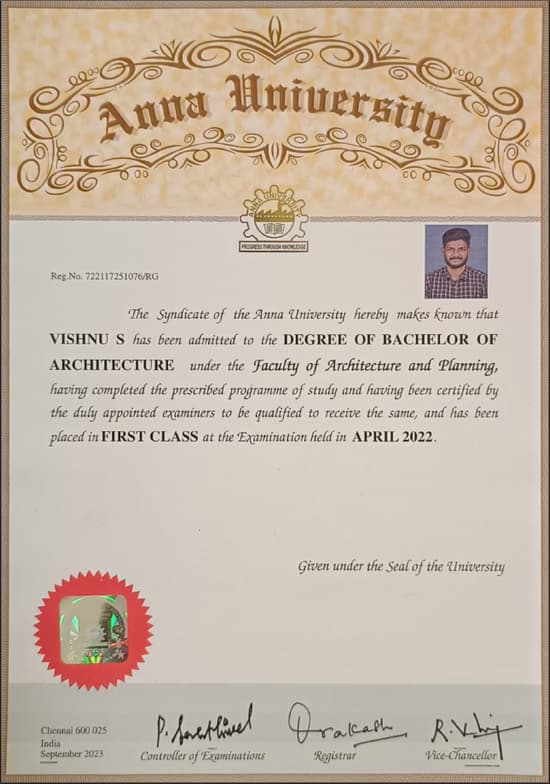
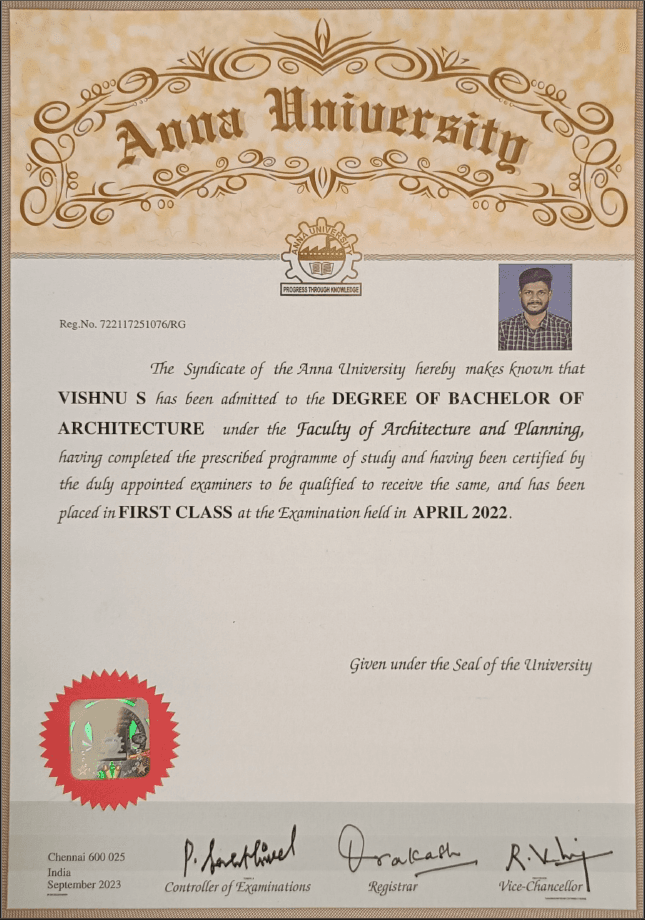
Vishnu graduated from S.V.S school of Architecture (Anna university)
Expertise of your tutor

Software training

Exam prep

Upskilling

Career guidance

Technical drafting

Project help
 CoTutor
AI modules
Summary
Podcast
Quiz
Learnings
Flashcard
Spotlight
Zero Risk Guaranteed
15-days refund
Free tutor swap
No cancel fee
1-yr validity
24/7 support
Student types for class

Architecture for intermediate
Architecture for beginners
Vishnu - also provides training in

Architecture
Revit
3D Modelling
BIM

Architecture concepts taught by Vishnu
Student and Tutor continued their Revit lesson, reviewing architectural elements, properties, roof creation, and advanced curtain wall customization. They also covered the creation of various staircase types, including straight, spiral, and winder styles. The Tutor assigned a homework task to practice the user interface and create a room with a roof and other elements, due by Monday.
Curtain Walls: Grids
Mullions & Panel Customization
Staircase Creation: Types
Parameters & Placement
Discipline Views & Coordination
Architectural vs. Structural Columns
Revit UI Essentials & Component Management
The student and tutor worked through technical issues with Revit software and screen sharing before diving into practical architectural design in Revit. They practiced creating walls, floors, ceilings, and roofs, and discussed methods for adding electrical components and lighting.
Revit Project Setup
Creating Walls in Revit
Adding Floors and Ceilings
Placing Doors and Windows
Roof Creation Methods
Loading External Families (Lighting & Receptacles)
The Student and Tutor practiced fundamental Revit architectural modeling. They covered creating and modifying roofs, adjusting element thicknesses, setting up project units, and managing building levels. The Student then actively applied these concepts by modeling a simple room with walls, doors, windows, a floor, a ceiling, and a roof, receiving guidance on each step. Homework includes practicing these modeling steps and mastering Revit's user interface.
Project Setup: Units and Levels
Modeling Walls
Doors
and Windows
Constructing Floors and Ceilings
Dynamic Roof Creation: Roof by Footprint & Slope
Element Connectivity: Attaching Walls to Roof
Revit User Interface & Navigation
The Student and Tutor continued their Revit training, focusing on creating and detailing architectural elements. They practiced building walls with layered materials, placing doors and windows, and inserting various components like electrical switches and light fixtures. The session also covered creating floors and ceilings, including customizing ceiling tile types and their alignment. The next session is scheduled for tomorrow at 6:00 p.m. PDT.
Revit Project Setup: Location & Orientation
Efficient Component Placement & View Range
Architectural Floors and Ceilings
Loading & Customizing Revit Families (Components)
Parametric Doors and Windows
Advanced Wall Creation & Material Properties
The tutor provided an in-depth introduction to the Revit user interface, covering its homepage, file formats, templates, and key UI elements like the ribbon, properties panel, and project browser. The student practiced identifying and understanding these components, and the tutor assigned labeling the UI elements as a task for the next session. They also briefly touched upon project units.
Revit User Interface (UI) Components
Revit File Formats and Templates
Understanding Revit Project Units
Central Model and Local Copies for Collaboration
Revit Families vs. Models
The Tutor guided the Student through essential Revit operations, including placing views on sheets, adding text annotations, and basic ceiling creation. They also began discussing the placement of electrical components, with a plan to cover the software's user interface fundamentals in future sessions.
Revit User Interface Navigation
Placing Views and Sheets in Revit
Adding Text and Leaders in Revit
Creating Ceilings and Placing Light Fixtures
Using Measurement Tools in Revit
Teaching tools used for classes

BIM Software

Architecture tutors on Wiingy are vetted for quality
Every tutor is interviewed and selected for subject expertise and teaching skill.
