
Nazia Rahman
Making Science Simple, Fun, and Meaningful for Young Minds and turning Curiosity into Discovery Through Science Learning .
Loading...




Show all photos
Nazia Rahman
Masters degree
/ 55 min
About your science tutor
I am a passionate science teacher who believes that learning science should be exciting, meaningful, and connected to real life. My goal is to help students develop curiosity about the world around them and encourage them to ask questions, explore ideas, and think scientifically.In my classroom, I try to make science simple and easy to understand by using examples from everyday life. I believe that students learn best when they actively participate, so I encourage discussions, experiments, and hands-on activities My teaching style focuses on creating a supportive and positive learning environment where every student feels comfortable expressing their thoughts and asking questions. I aim to build not only subject knowledge but also critical thinking, problem-solving skills, and a love for learning.I also believe that every student learns at their own pace, so I try to explain concepts in different ways to make sure everyone understands. My ultimate goal as a teacher is to inspire students to appreciate science and become confident learners.i also integrate simple experiments and visual demonstrations to make scientific concepts clearer and more engaging for students. whenever possible
Nazia graduated from Guwahati University


Specialities of your science tutor

Real world application

GCSE (UK)

A-Levels (UK)
Personalized learning plans
Review sessions

International Baccalaureate (IB)
Student types for science class

Middle School students

Home schooled
High School students
Your science tutor also teaches

Forces and Motion
Physical Science
Earth Science
Life Science
Environmental Science
School Science

.svg)
15 days Refund
.svg)
Free Tutor Swap

School Science concepts taught by Nazia
The Tutor and Student worked through various advanced Excel functionalities, including XLOOKUP, Table Tools, Subtotals, Data Validation, CSV imports, and Pivot Tables. They practiced applying these features to data sets and discussed how to customize their output for better analysis, with plans to cover more complex formulas and macros in the next session.
XLOOKUP Function
Formatting Data as Tables
Slicers for Interactive Filtering
Subtotals for Summarizing Data
Data Validation: Ensuring Data Integrity
The Tutor and Student worked through introductory Excel concepts, covering basic calculations, common functions (SUM, AVERAGE, MAX, MIN, COUNT A, IF), and text manipulation (CONCAT, LEFT, RIGHT, MID). They also touched upon conditional formatting, with plans to cover more in the next session.
Conditional Formatting
Text Functions: Concatenate
Left
Right
Mid
Counting & Data Analysis Functions: COUNT
COUNTA
Basic Excel Formulas & Functions
The Student learned about advanced Excel functions like SUMIF, AVERAGEIF, XLOOKUP, and consolidation. The Student practiced using XLOOKUP to extract employee information and utilized consolidation to combine data from multiple worksheets into one report, then created a chart from the consolidated data. The Student will revise the material and continue with the second worksheet in the next session.
SUMIF Function
AVERAGEIF Function
XLOOKUP Function
Consolidation Feature
Sparklines
The Student and Tutor recapped pivot tables, charts, and dashboards before moving on to new lessons about text functions, flash fill, and key Excel functions such as 'TODAY()', 'countif', 'sumif', and 'averageif'. The Student practiced using these new skills with guidance from the Tutor. There were no follow-up items or homework assigned.
Text to Columns
Flash Fill
TODAY() Function
Absolute Referencing
Excel Forms
CountIf Function
SumIf Function
The session involved a comprehensive review and practice of Excel data analysis techniques, including data cleaning, conditional formatting, sorting, filtering, creating pivot tables, pivot charts, and dynamic dashboards using slicers. The student will continue learning advanced Excel formulas like VLOOKUP and XLOOKUP in future sessions.
Conditional Formatting
Sorting Data
Filtering Data
Pivot Tables and Pivot Charts
Dashboard Creation with Slicers
Data Cleaning Techniques
The class covered a comprehensive range of Microsoft Excel functionalities, from basic formatting and simple calculations to advanced functions like IF, text manipulation (CONCATENATE, LEFT, RIGHT, MID), conditional formatting, and data validation. The student practiced applying these functions and concepts with the tutor's guidance, and the next session will focus on pivot tables and pivot charts with larger datasets.
Basic Excel Formulas: Addition
Multiplication
and Auto-Fill
Conditional Formatting and Data Validation
Text Functions: CONCATENATE
LEFT
RIGHT
MID
Teaching tools used by science tutor

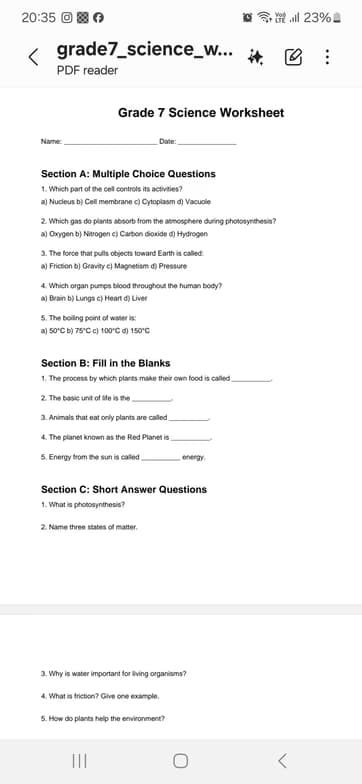
Practice worksheets

Flashcards
Interactive diagrams

Quizzes

Digital whiteboard
Interactive science lessons

Chat for quick help

Note taking

Mobile joining

Weekend lessons

Record lessons

Science tutors on Wiingy are vetted for quality
Every tutor is interviewed and selected for subject expertise and teaching skill.